Send and receive e-invoices.
You create your e-invoices in the software you already use and send them to your business partners via Docurier. Incoming invoices can be read in your mailbox – in the browser and as a PDF.
For the exchange over the secure Peppol network we activate your personal address. Registration, your address and receiving invoices are free of charge.
In the rare case that this does not work automatically, one of our team members will review your details personally, and you will hear from us by the next business day at the latest.
How to get started with Docurier
Set up in three steps. Directly in your browser.
-
1
Register your company
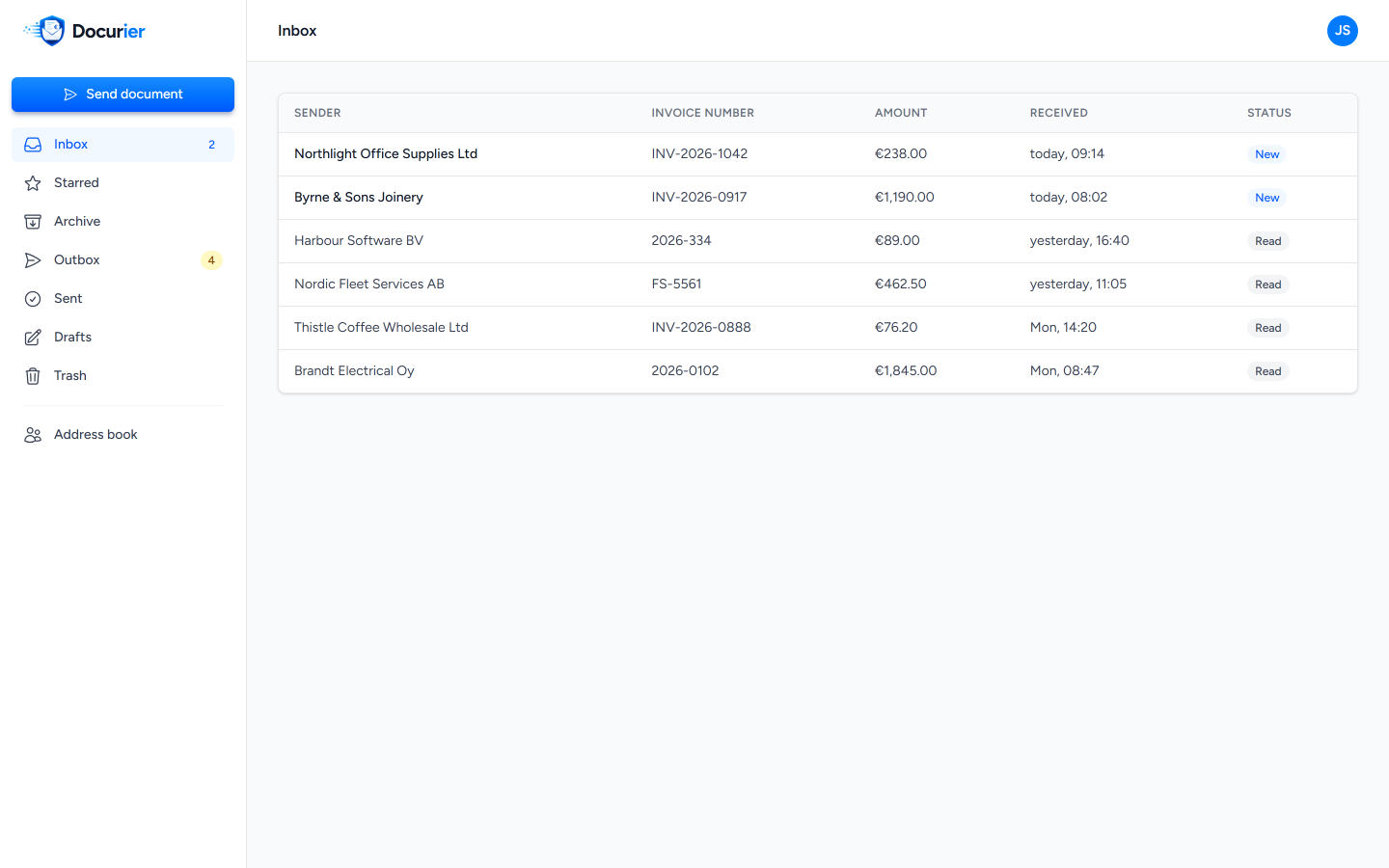
Enter your company details. We usually confirm your company immediately. If our team still has to review your details, we will get back to you by the next business day at the latest.
-
2
Set up your address
We set up your secure Peppol address and register your company in the network. Your business partners can then send e-invoices to this address.
-
3
Send and receive e-invoices
Upload your finished e-invoices and send them via Docurier. You can open incoming invoices in the browser or download them as a PDF.
Your invoices at a glance
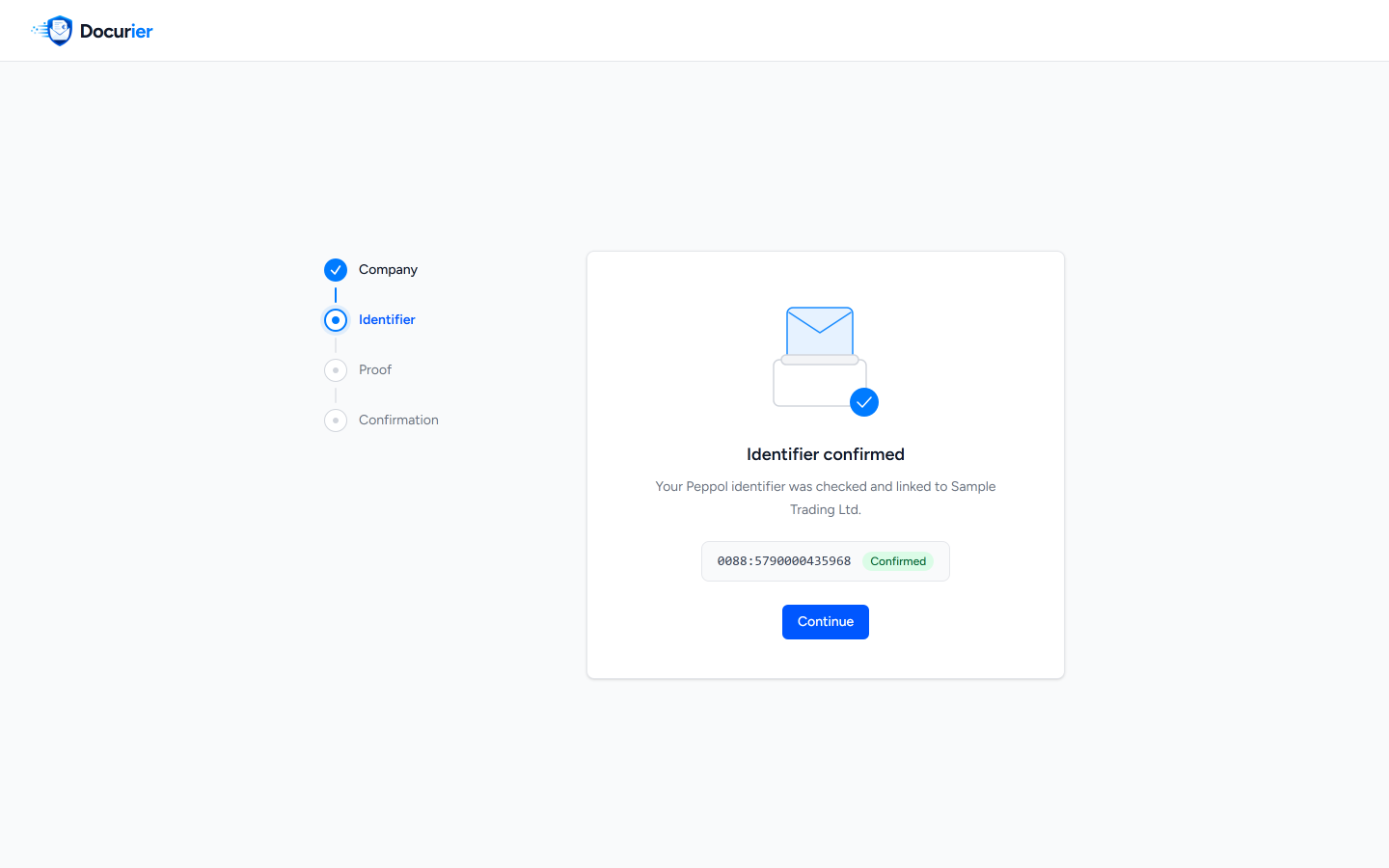
Docurier presents incoming e-invoices in a way you can read directly. Open the invoice in the browser or download it as a PDF.
Your secure mailbox
Here you will find your received e-invoices, sorted by arrival. You can see the sender and the amount at a glance.
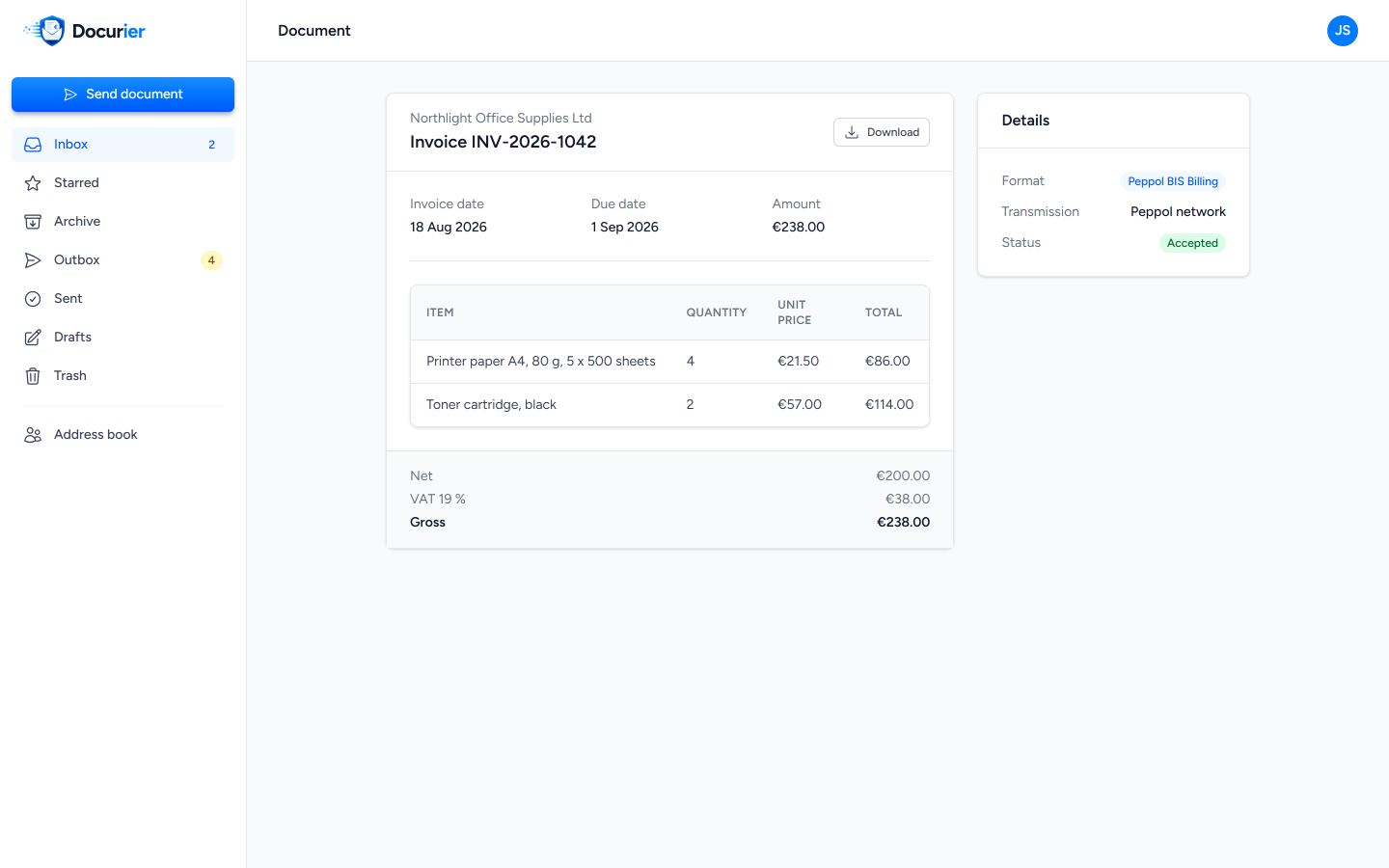
All details easy to read
Line items, amounts and tax details are clearly laid out. You can also download the original file and pass it on to your accounting department or your tax advisor.
Send your invoice.
Keep an eye on the delivery.
Create your e-invoice as usual in your software. Upload the file to Docurier and send it to your customer over the Peppol network.
In your outbox you can see the delivery status. This way you know whether your invoice has arrived or delivery is still pending.
If your customer is not yet reachable in the network, we invite them on your behalf. As soon as they are ready to receive, we deliver the invoice.
Set up DocurierThe journey of your invoice
Example flow-
Upload your e-invoice
The file already created in your software.
-
Send via Peppol
Docurier transmits the invoice to your customer.
-
Track the delivery
You can see the current status in your outbox.
The invoice has arrived at the recipient.
-
Upload your e-invoice
The file already created in your software.
-
Invite your customer
We invite them to the network on your behalf.
-
Track the delivery
You can see the current status in your outbox.
Delivery as soon as your customer is ready to receive.
Schematic representation. The two examples show different delivery routes.
What matters for
your company now.
Companies in Germany must already be able to receive e-invoices. Transitional periods still apply to issuing your own e-invoices.
You can now set up invoice exchange at your own pace. With Docurier you receive e-invoices via Peppol, read them directly and send finished e-invoices from your software. This means your access is in place before the next deadlines take effect.
Deadlines and exceptions at a glance-
Since 2025
Being able to receive e-invoices
This applies to companies based in Germany, including small businesses.
-
From 2027
Issuing e-invoices
For companies with more than 800,000 euros in prior-year turnover, the general transitional period ends.
-
From 2028
The extended deadline ends too
This affects companies with a prior-year turnover of at most 800,000 euros.
The deadlines for issuing apply to invoices between companies in Germany. If you use the small business scheme, issuing e-invoices remains voluntary. Further exceptions can be found in the FAQ.
Source: Federal Ministry of FinanceKeep working the way you know it.
You keep your invoicing software and continue working with your accounting department and your tax advisor. Docurier adds the sending and receiving of e-invoices via Peppol to your existing workflows.
Read our promiseSecurity and operator
Docurier is a service provided by fino data services GmbH We have been operating infrastructure for electronic invoice exchange for over ten years. Docurier is hosted in Germany.

ISO 27001 certified
The operation of Docurier is certified to ISO 27001. View certificate
Certified Peppol Access Point
Your e-invoices reach Docurier via a certified access point to the Peppol network.
Your received invoices remain available in Docurier for reading and downloading. Audit-proof archiving in line with GoBD is not part of the service. For that you can use GetMyInvoices, also a service from fino data services.
Frequently asked questions
Still have a question?
Write to us at
[email protected].
What is free with Docurier?
Why is receiving free of charge?
Can I use Docurier without installing anything?
How quickly can I start receiving invoices?
What do I need a Peppol address for?
How do I use Docurier to send invoices?
How do I store my invoices?
Who operates Docurier?
When do I have to start issuing e-invoices?
For invoices between companies in Germany, the general transitional period ends on 31 December 2026. For companies with a prior-year turnover of at most 800,000 euros, it runs until the end of 2027.
If you use the small business scheme, issuing e-invoices remains voluntary. You must still be able to receive e-invoices.
Exceptions apply, for example, to invoices up to 250 euros gross. For certain EDI procedures there is an additional transitional rule until the end of 2027. Separate rules apply to invoices sent to public authorities.
From 1 July 2030, e-invoicing and digital reporting requirements will also apply to cross-border transactions between companies in the EU. The European Commission explains the next steps ↗.
Ready for your Peppol address?
Register your company and receive e-invoices – ready to receive in minutes, free of charge.